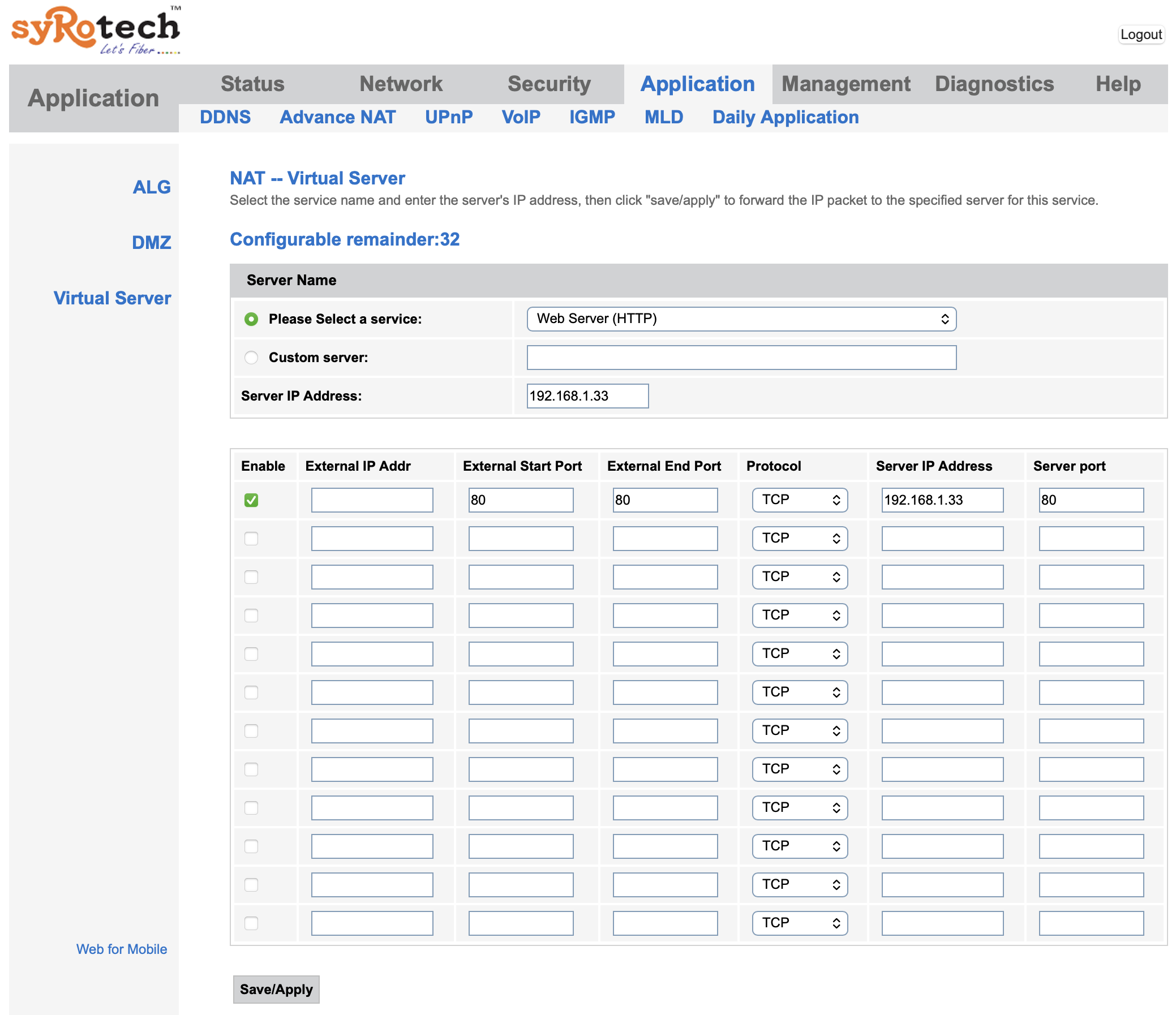
Below are the steps to follow to port open in a syrotech fiber modem. Here we will open port 80.
- Login to the router (192.168.1.1).
- Go to
Application > Advance NAT > Virtual Server. - Click
Add. - For the
Server IP Addressadd the local server IP address. In my case it is192.168.1.33. - For
Please select a service, selectWeb Server (HTTP). - Now there will be an entry in the below section. Click
Enablein that first row and clickSave/Apply. - Next, go to
Management > Device Manageand clickCommit and Rebootto apply the changes. - Check web access using the public IP address at port 80 and it should load the local page.